multi-week forecast
Opening cash, money in, money out and closing cash for every week. Tap a week to see the bills and assumptions behind it.
Money in, money out and closing cash for every week.
Drop in bank statements. See where cash is, what's due, and what's safe to move.
You're in the beta queue.
Check your inbox for a note from us. We'll email you when your beta spot opens.
We'll only email you about the beta. Unsubscribe anytime.
Iceberg reads the bank and card statements you already download and finds the money that comes in and goes out on a schedule. Once you confirm it, Iceberg projects your balance ahead, week by week, so you can spot tight weeks and see what causes them. It never moves a cent.
Made for
Individuals and people who run a small business, a household, or both.
Week of Dec 21 · 8,390 Under your 10,000 buffer. Payroll lands before the Dec 28 retainer.
Recurring money in and out, by week
Coming in, confirmed by you
Going out, confirmed by you
Starting cash · Nov 924,300.00
From your latest statement balances. Tap any week to see the payments behind it.
CSV, PDF, OFX, QFX or QBO.
No bank login.
Pay coming in, bills going out.
Fix any amount or date.
Week by week, tight weeks flagged.
Tap one to see why.
Also A safe-to-move number, with a receipt for every line.
Where it is now
Beta sign-ups hear the moment it opens.
Invite-only while we build it.
Comes after the closed beta. No date yet.
CSV, text-based PDF, OFX, QFX or QBO, in CAD or USD. It reads every row and shows you what it found.
Two payments look alike? It asks. You match. Undo is right there.
Rent on the 1st, payroll every other Friday, a subscription that renews each month. It finds what repeats in your statements. You confirm the real ones.
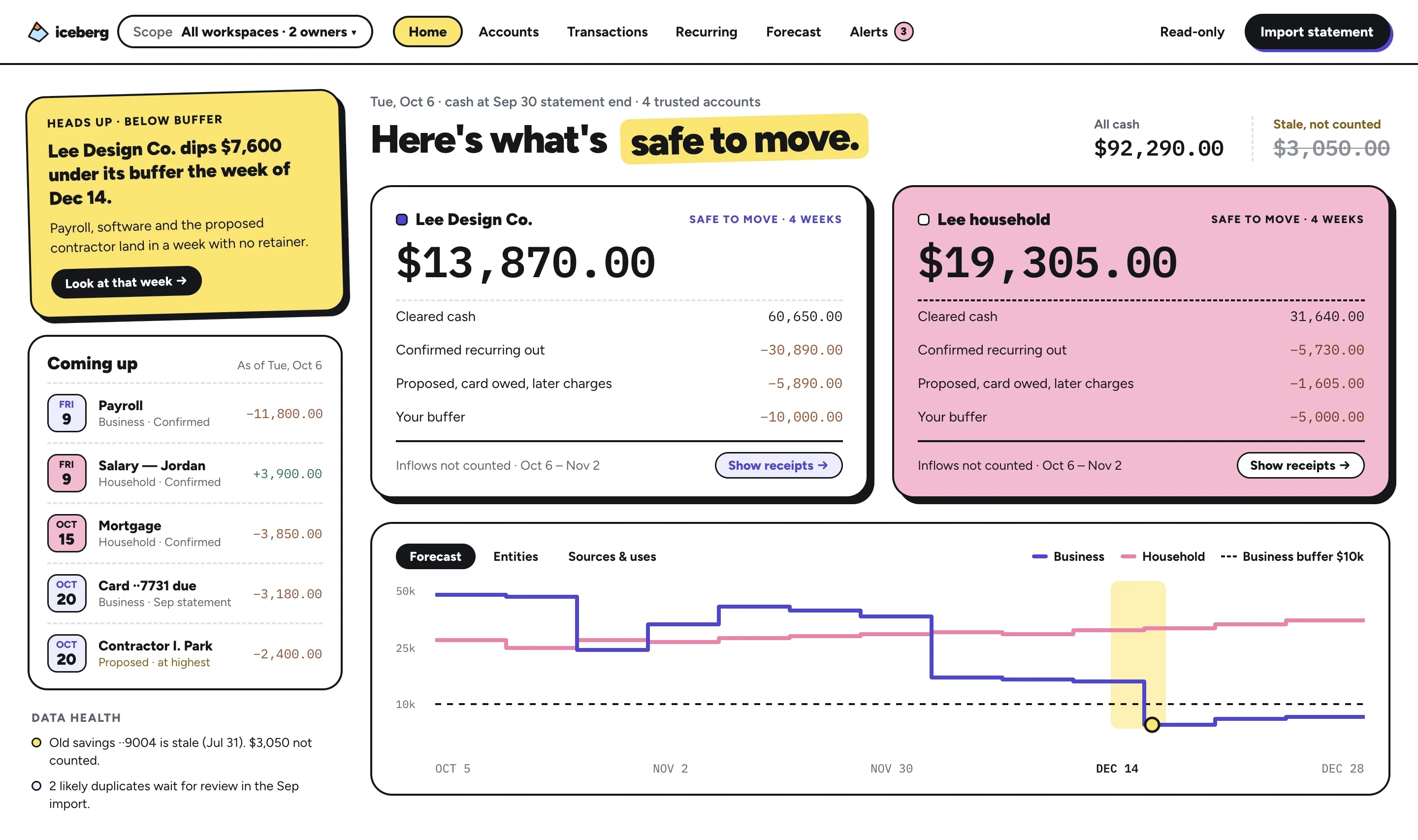
13 weeks ahead. The tight week gets a big yellow flag.
SAFE-TO-MOVE RECEIPT
Lee Design Co. · next 4 weeks
* Not confirmed yet, counted anyway.
Cleared cash, minus confirmed bills, minus unconfirmed ones at their highest, minus what each card owes on its last statement, minus your buffer. Over the next four weeks, floored at $0.
Tap any line to see the transaction, bill or statement it came from. A card with no trusted balance is named, not guessed.
Cleared cash, minus confirmed bills, unconfirmed bills, card balances due and your buffer, floored at $0.
Opening cash, money in, money out and closing cash for every week. Tap a week to see the bills and assumptions behind it.
Money in, money out and closing cash for every week.
Ask "what if the contract lands?" and see the runway move. Your real forecast stays untouched.
Ask "what if the contract lands?" Your real forecast stays untouched.
A week that dips under your buffer gets flagged. Stale accounts are named and left out, never quietly counted.
Dips under your buffer get flagged. Stale accounts are named, never quietly counted.
Every account belongs to one workspace and one owner. See them side by side, each with its own subtotal.
Every account has one workspace and one owner, each with its own subtotal.
Month cards for spending, income and what's coming up. Each keeps its own size and tilt, packs itself neatly, and moves where you put it.
Month cards keep their own size, pack neatly and move where you put them.
A model may suggest a category for an imported row. Run it locally or switch it off. It never sets an amount, a date or a balance.
A model may suggest a category. It never sets an amount, a date or a balance.
LOOK, DON'T TOUCH
Iceberg is read-only. It won't pay, transfer or hold a cent. It just does the math, nicely.
Import OFX, CSV or PDF bank statements. No bank connection needed.
The original file is stored unchanged. Amounts are parsed by plain code, in exact integer cents.
Stale or unchecked data is shown, labeled and kept out of your number until you review it.
Stale or unchecked data is labeled and kept out of your number until you review it.
BETA · COMING SOON
Join the beta and we'll email you when your spot opens. Bring yourself, your household and your business too.
You're in the beta queue.
Check your inbox for a note from us. We'll email you when your beta spot opens.
We'll only email you about the beta. Unsubscribe anytime.
LIVE DEMO · UNDER CONSTRUCTION
A live demo with sample data, no sign-up needed. We're still building it. Beta sign-ups hear the moment it opens.
Coming very soon